Interactive
Things you can click, hover, etc. to reveal more content.
Modal
coming soon...
Accordion
An accessible accordion built with a mix of custom elements, attributes, and native interactions. Be sure to keep the class names as is so they work with our external script which toggles the aria values of each accordion that is interacted with. Also, update the corresponding ID's on the trigger and content element's which benefit accessibility as well.
Slider
We build all sliders with Swiper.js for flexibility across both static and CMS use cases, as well as maximum control over UI and effects. Below are a few static examples that can also be integrated with a collection list and the content in each slider can be adjusted for any specific use case.
Card slider + top nav
Lorem ipsum dolor sit amet, consectetur adipiscing elit. Suspendisse varius enim in eros elementum tristique. Duis cursus, mi quis viverra ornare, eros dolor interdum nulla.
Card slider + center nav
Lorem ipsum dolor sit amet, consectetur adipiscing elit. Suspendisse varius enim in eros elementum tristique. Duis cursus, mi quis viverra ornare, eros dolor interdum nulla.
Full slider + top nav
Lorem ipsum dolor sit amet, consectetur adipiscing elit. Suspendisse varius enim in eros elementum tristique. Duis cursus, mi quis viverra ornare, eros dolor interdum nulla.

“The Webflow team stands out like no other SaaS team. They've supported us at every step—sending us top enterprise leads, assisting with our first app launch on their marketplace, and hosting amazing conferences for partners. This support has been crucial to our success and the platform's success.”


“Webflow is the first web design tool that I used that felt like more than a prototyping tool — and gave me the confidence to go live with what I built.”


“We had a software evaluation team look at eight different prototyping products over four to five months, and Webflow was the only one that checked all our boxes.”

Full slider + center nav
Lorem ipsum dolor sit amet, consectetur adipiscing elit. Suspendisse varius enim in eros elementum tristique. Duis cursus, mi quis viverra ornare, eros dolor interdum nulla.

“Webflow is the first web design tool that I used that felt like more than a prototyping tool — and gave me the confidence to go live with what I built.”

“The Webflow team stands out like no other SaaS team. They've supported us at every step—sending us top enterprise leads, assisting with our first app launch on their marketplace, and hosting amazing conferences for partners. This support has been crucial to our success and the platform's success.”

“We had a software evaluation team look at eight different prototyping products over four to five months, and Webflow was the only one that checked all our boxes.”
Tabbed content
In some cases a heading and a subheading will be added above the tabs. If that isnot the case, then the tabs will float to the top of the wrapping div, and the asset will still go taller.
The Designer asset can be moved to showcase the left, center or right areas, by using combo classes in the feature_tab-content-asset_wrapper element. If no class is added, it defaults to centered.
cc-left can be added to show the left area of the Designer.
cc-right can be added to show the right area of the Designer.
Lorem ipsum dolor sit amet, consectetur adipiscing elit. Suspendisse varius enim in eros elementum.
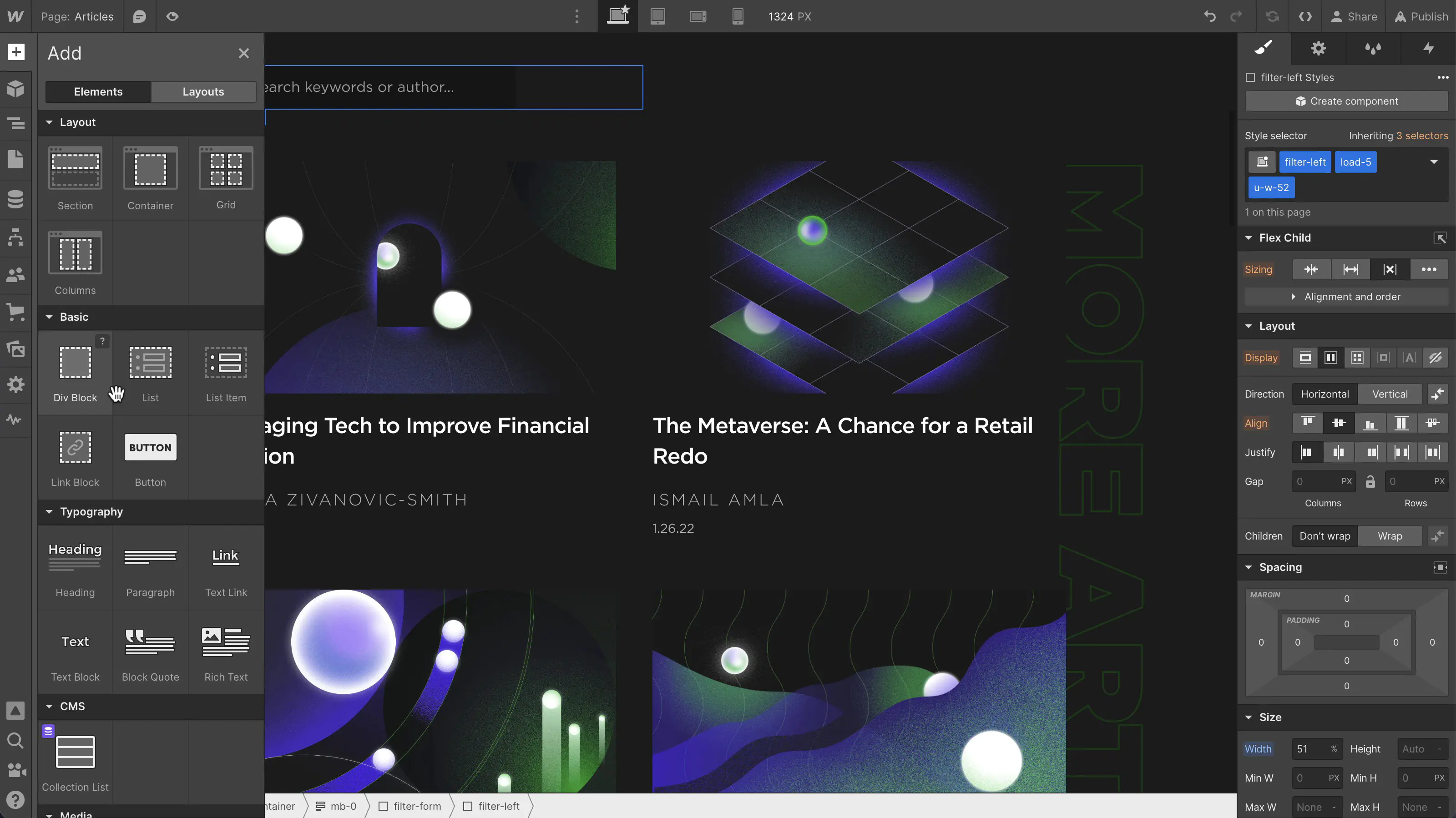
Fully customize your pages structure
Drag in unstyled HTML elements to build exactly what you want — then turn footers, nav bars, and more into components you can reuse.

Launch custom ecommerce stores
Fine-tune every detail with variable fonts, custom breakpoints, and a CSS-based class system that cascades changes across your site.
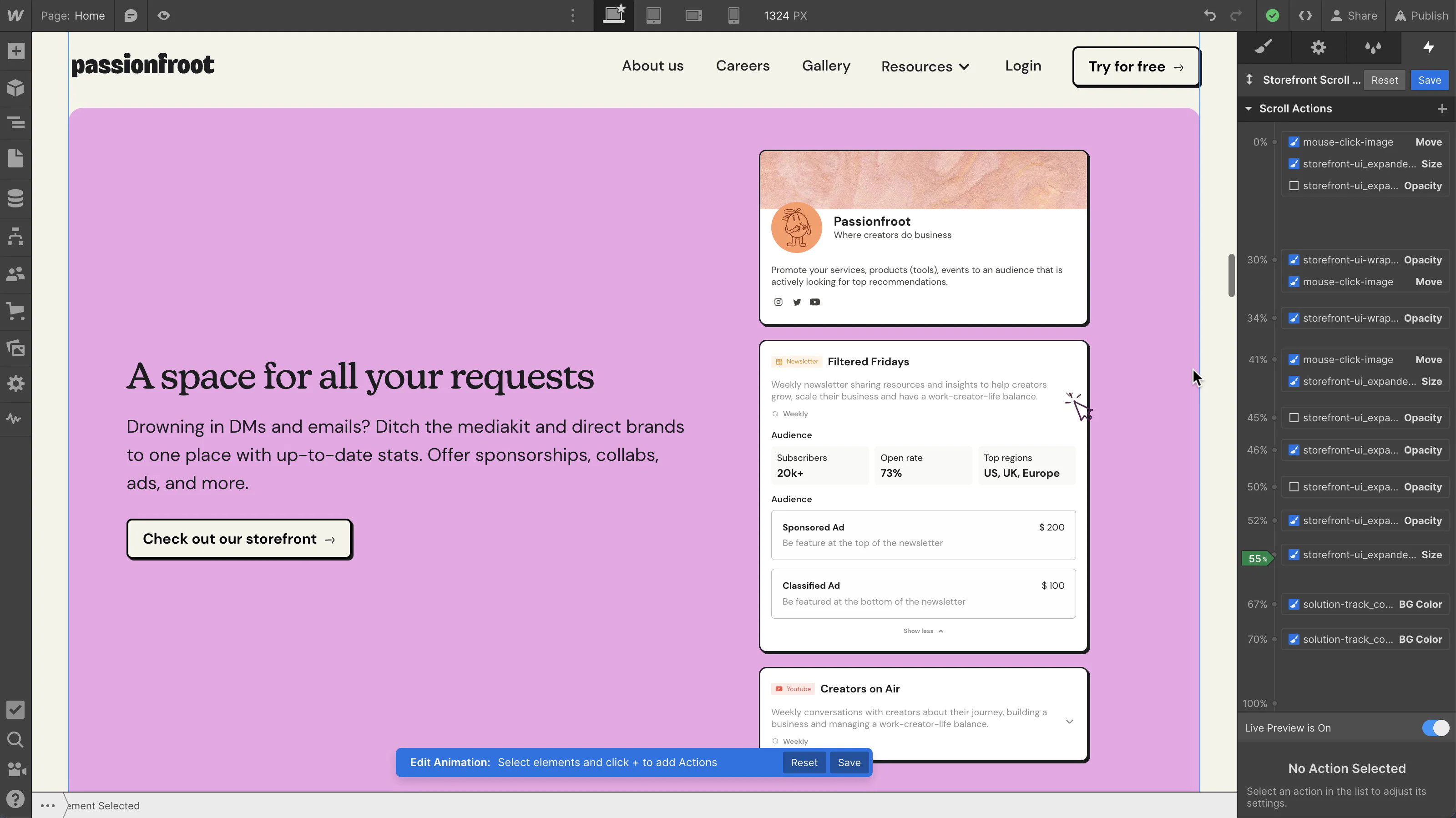
Visual create stunning interactions
Design complex, rich animations — like scroll-based and multi-step interactions — and easily work with Lottie and dotLottie files, all without even thinking about code.

Create content-rich pages with the CMS
Automatically pull live content from Webflow's powerful CMS into any page — then add or manage content over time in Webflow's Editor.

Design in Webflow, build in React
Publish straight to the web or export clean, semantic code for production.


Fully customize your pages structure
Drag in unstyled HTML elements to build exactly what you want — then turn footers, nav bars, and more into components you can reuse.
Launch custom ecommerce stores
Fine-tune every detail with variable fonts, custom breakpoints, and a CSS-based class system that cascades changes across your site.
Visual create stunning interactions
Design complex, rich animations — like scroll-based and multi-step interactions — and easily work with Lottie and dotLottie files, all without even thinking about code.
Create content-rich pages with the CMS
Automatically pull live content from Webflow's powerful CMS into any page — then add or manage content over time in Webflow's Editor.
Design in Webflow, build in React
Publish straight to the web or export clean, semantic code for production.